A guide to conducting quantity takeoffs with Kamai

April 6, 2026

Learn how to conduct accurate quantity takeoffs with Kamai. Automate blueprint analysis, extract quantities instantly, and improve construction estimating efficiency.
Accurate quantity takeoffs are the foundation of successful construction projects. From budgeting and procurement to scheduling and execution, every decision depends on reliable data. Yet, for many years, estimators and quantity surveyors relied on manual processes measuring drawings by hand, calculating quantities manually, and tracking results in spreadsheets.
These traditional methods were not only time-consuming but also highly prone to errors.
Today, with advanced solutions like Kamai, construction professionals can digitize and automate the entire takeoff process. Instead of manually interpreting drawings, teams can extract precise quantities from blueprints in minutes, improving both efficiency and accuracy.
This guide walks you through how to conduct quantity takeoffs with Kamai and how it transforms your workflow from manual effort to intelligent automation.
Why Quantity Takeoffs Matter
Before diving into the process, it’s important to understand why quantity takeoffs are so critical.
A quantity takeoff converts construction drawings into measurable data. It identifies how much material is needed, what labor is required, and how resources should be allocated.
Without an accurate takeoff, estimates can be unreliable, leading to budget overruns, delays, and reduced profitability.
Kamai addresses these challenges by turning blueprint data into structured, accurate quantities that can be used immediately for estimating and planning.
Upload Your Construction Drawings
The first step in conducting a quantity takeoff with Kamai is uploading your project drawings.
Kamai supports digital blueprints, including PDFs and scanned files, allowing you to work with the formats you already use. Whether you’re handling architectural layouts, structural drawings, or MEP plans, the system is designed to process them seamlessly.
Once uploaded, the platform begins analyzing the drawings automatically, eliminating the need for manual setup or preparation.
This simple upload process replaces the traditional need to print, organize, and manually review large plan sets.
Let Kamai Analyze the Blueprint
After uploading your drawings, Kamai’s AI engine begins processing the data.
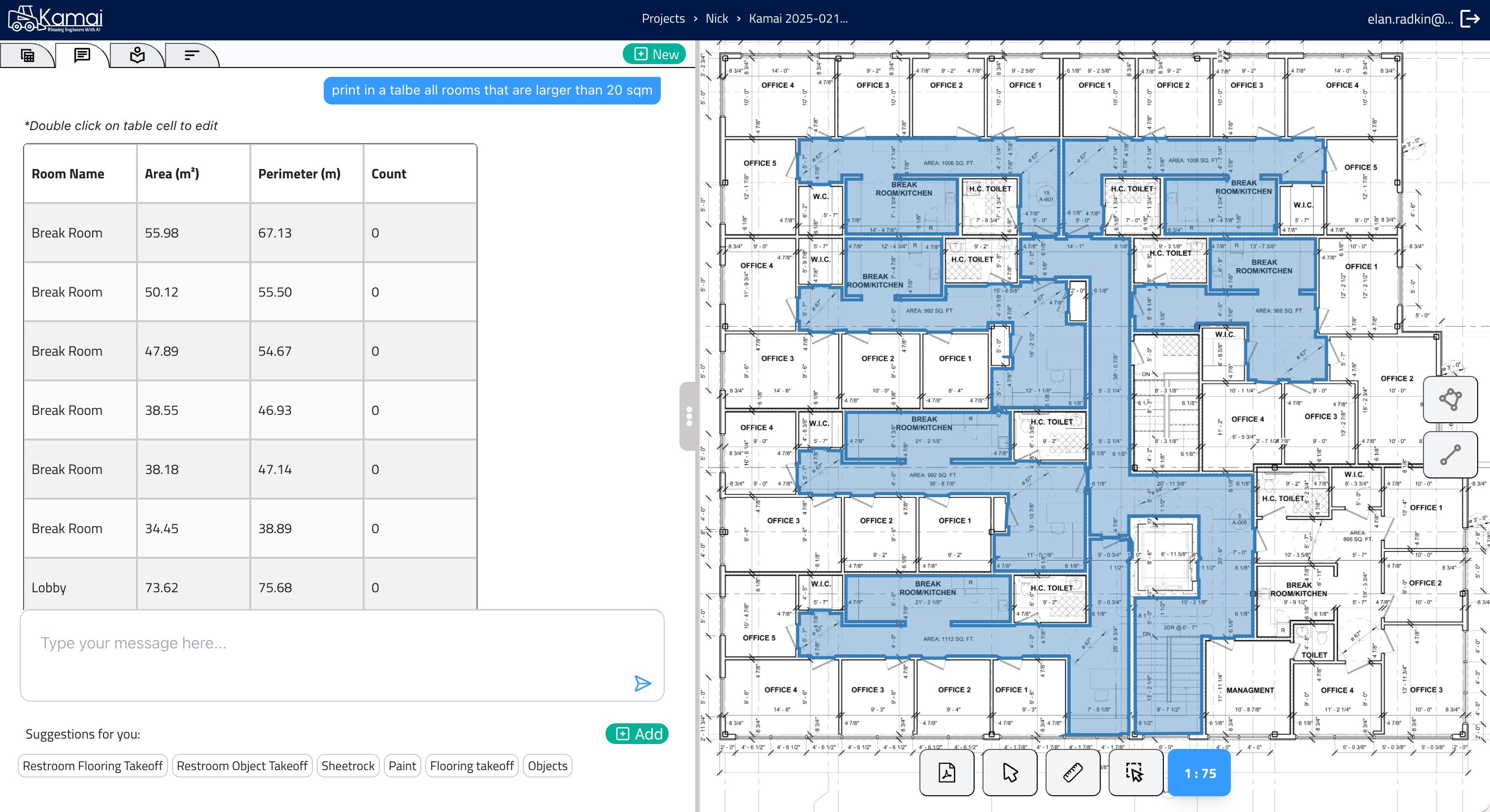
Unlike traditional tools that rely on manual input, Kamai uses computer vision to interpret the blueprint. It identifies elements such as walls, rooms, openings, fixtures, and materials.
It also understands spatial relationships, allowing it to recognize zones like rooms, corridors, and service areas.
This automated analysis is what sets Kamai apart. Instead of spending hours reviewing drawings, users receive structured insights within seconds.
Automatically Extract Quantities
Once the analysis is complete, Kamai extracts quantities directly from the blueprint.
This includes measurements such as:
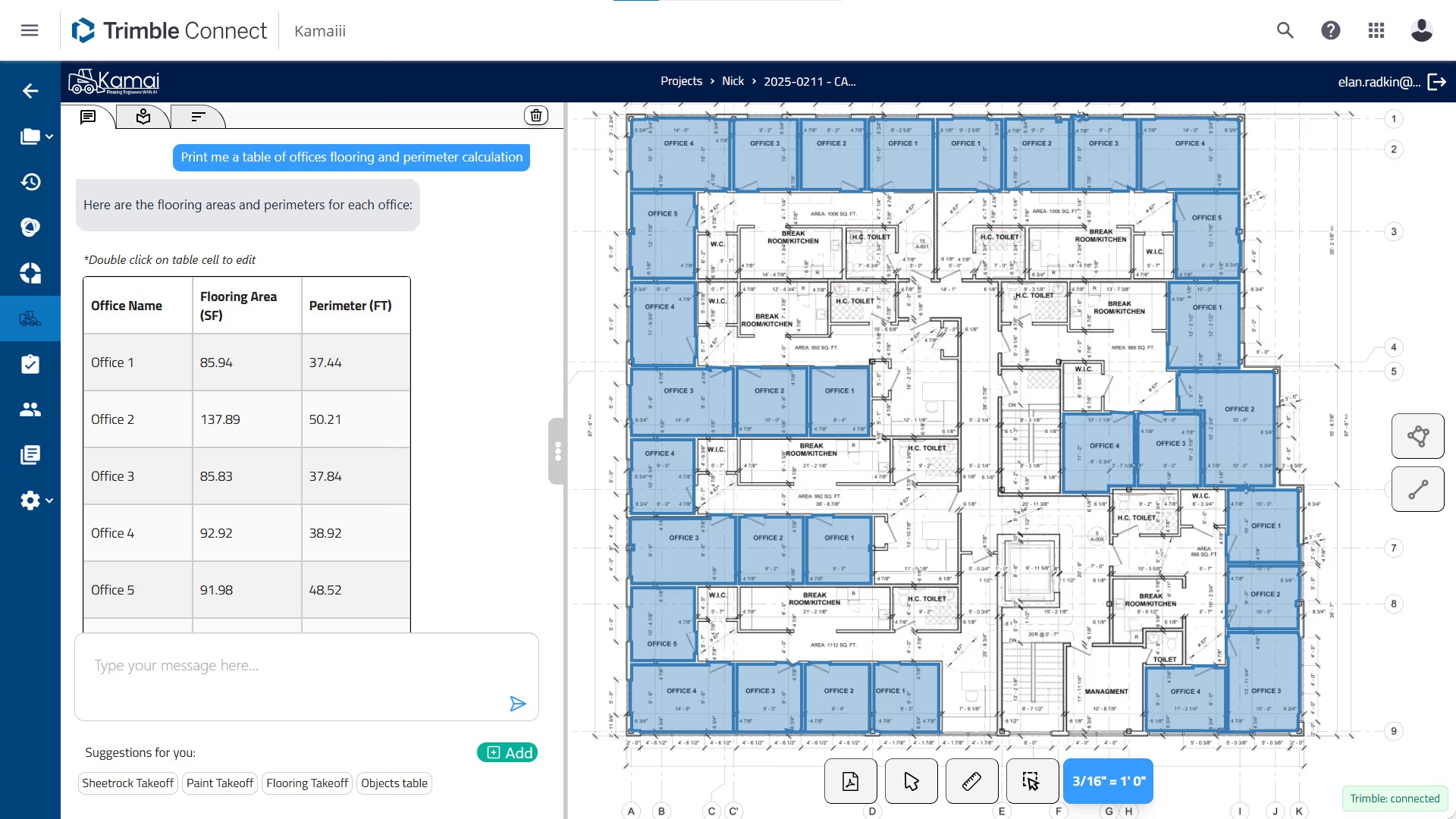
Areas for flooring, walls, and finishes
Linear dimensions for walls, piping, or ductwork
Counts for doors, windows, fixtures, and other components
All quantities are calculated automatically with high precision, removing the need for manual measurement tools or calculations.
This step eliminates one of the most time-consuming parts of traditional takeoffs and significantly reduces the risk of human error.
Organize Data into Structured Outputs
After extracting quantities, Kamai organizes the data into structured formats.
Instead of raw measurements scattered across notes or spreadsheets, you get clean, categorized datasets that are easy to understand and use.
For example, quantities can be grouped by material type, room, floor level, or trade discipline.
This structured approach makes it easier to review data, identify patterns, and ensure nothing is missed.
It also creates a clear audit trail, allowing teams to track how quantities were generated and verify results when needed.
Review and Validate Results
Even with automation, validation is an important step in the takeoff process.
Kamai allows users to review extracted data and verify quantities quickly. Because the system highlights detected elements and organizes them clearly, it becomes much easier to confirm accuracy compared to manual methods.
Instead of rechecking every measurement, estimators can focus on reviewing key areas and ensuring alignment with project requirements.
This improves confidence in the results and reduces the likelihood of costly mistakes.
Export Data for Estimating and BoQ
Once the takeoff is complete, Kamai allows you to export the data in structured formats such as spreadsheets or reports.
This data can be used to create a Bill of Quantities (BoQ), develop cost estimates, or integrate with estimating and project management systems.
Because the data is already organized and accurate, there is no need for manual data entry or reformatting.
This seamless transition from takeoff to estimating saves time and ensures consistency across workflows.
Use Insights for Better Decision-Making
One of the biggest advantages of using Kamai is the ability to turn data into actionable insights.
Instead of spending time collecting and calculating quantities, teams can focus on analyzing the data.
This includes comparing material options, optimizing costs, and planning resources more effectively.
Kamai also enables faster responses to design changes. When drawings are updated, new quantities can be generated quickly, allowing teams to adjust estimates without delays.
Key Benefits of Using Kamai for Quantity Takeoffs
Kamai eliminates the need for rulers, scaling, and manual calculations.
All measurements are extracted automatically from the blueprint, saving time and reducing errors.
Analyze Instantly
What once took hours or days can now be completed in minutes.
Kamai processes drawings quickly, providing immediate insights that accelerate project planning.
Improve Accuracy and Consistency
Automation ensures that quantities are calculated consistently across projects.
This reduces variability and improves the reliability of estimates.
Enhance Collaboration
Structured data can be easily shared across teams, ensuring everyone works with the same information.
This improves communication between estimators, project managers, and field teams.
Create a Reliable Audit Trail
Kamai provides a clear record of how quantities were generated.
This transparency is essential for validation, reporting, and client communication.
Transforming the Takeoff Process
Traditional quantity takeoffs required patience, precision, and significant manual effort.
While experienced estimators could produce accurate results, the process was slow and difficult to scale.
Kamai transforms this workflow by automating the most complex and time-consuming tasks.
Instead of measuring and counting, users can focus on strategy and decision-making.
This shift not only improves efficiency but also enables teams to handle more projects without increasing workload.
Conclusion
Conducting quantity takeoffs with Kamai is a simple yet powerful process.
By uploading drawings, automating analysis, extracting quantities, and exporting structured data, construction professionals can complete takeoffs faster and with greater accuracy than ever before.
In an industry where precision and efficiency are critical, adopting a modern approach to takeoffs is essential.
Kamai empowers teams to move beyond manual methods, reduce errors, and make better decisions setting every project up for success from the very beginning.